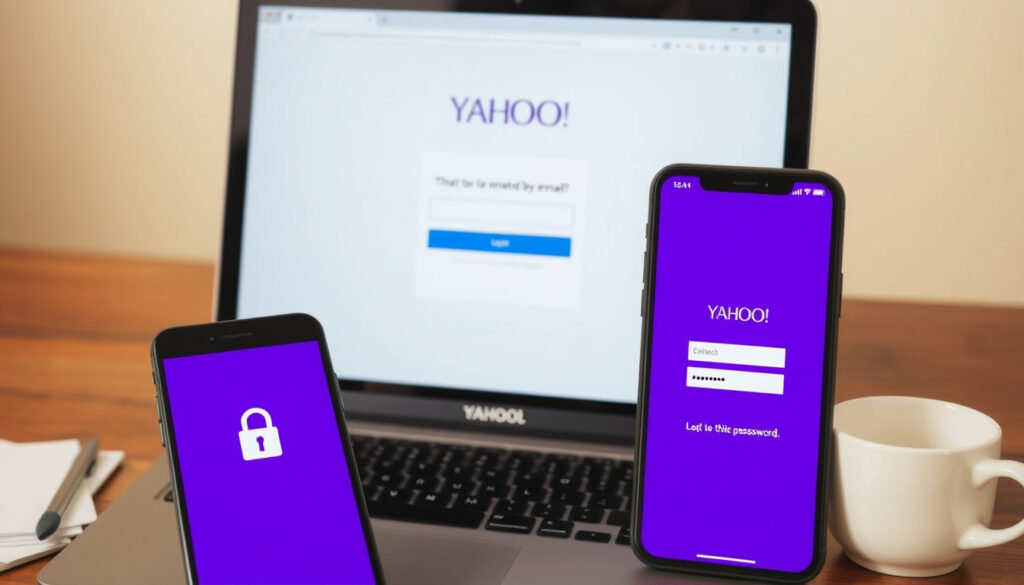
BT Yahoo Email Login: Fix Password & Access Issues
There’s a moment every BT Yahoo email user knows – staring at the login screen, password typed, but the page just won’t let you in. Whether it’s a forgotten password, a stubborn browser cache, or an app that’s lost its connection, getting back into your inbox doesn’t have to be a puzzle. This guide pulls together official steps from BT and practical fixes so you can get back to your email quickly.
Official login URL: email.bt.com ·
BT Email mobile app: Available on Google Play ·
BT Help support pages: Dedicated email help section
Quick snapshot
- Login page is email.bt.com (BT’s official support portal)
- Password reset via the ‘Forgotten password’ link (BT Help)
- Too many wrong entries can temporarily lock the account (BT Help)
- BT Email app is available on Google Play (Google Play listing)
- Exact number of active BT Yahoo email users (not publicly reported)
- Future of the BT–Yahoo partnership (no official statement on long-term plans)
- Root causes of intermittent login failures (depend on device, browser, and network)
- Exact lockout duration after too many wrong entries (BT only says “short time”)
- BT recommends checking its service status page for disruptions (BT’s official support portal)
- No announced changes to the primary login URL (email.bt.com remains the standard) (service status page)
- Try clearing browser cache and cookies if login fails (YouTube tutorial)
- Update the password on all devices after a reset (BT Help)
- Post in the BT Community for peer and expert support (BT’s official support portal)
Five key facts at a glance – one pattern: official sources lead, but a few common questions remain open.
| Label | Value |
|---|---|
| Official login URL | email.bt.com (BT’s official support portal) |
| Mobile app | BT Email on Google Play (Google Play listing) |
| Customer support | BT Help at help.bt.com (BT’s official support portal) |
| Password reset | Via the ‘Forgotten password’ link (BT Help) |
| Account lockout | After multiple wrong entries, account locks temporarily (BT Help) |
How do I log in to my BT Yahoo email?
What is the BT Yahoo email login URL?
- Point your browser to email.bt.com (BT Email official login portal).
- Enter your full BT Yahoo email address (e.g., you@btinternet.com) and your password.
- If you see an error, double‑check for typos and make sure Caps Lock is off – BT advises both steps for most login failures.
How to log in via the BT Email app?
- Download the BT Email app from Google Play (the official Android app).
- Open the app, tap “Sign in”, and enter your full email address and password.
- Supported devices with fingerprint or face unlock can enable biometric login for faster access.
BT keeps the login experience simple: one URL, one app. If either fails, the next step is to rule out credential mistakes before blaming the service.
The pattern: The official path (website or app) works for most users. Problems arise when credentials or device settings are out of sync – a theme that repeats across all login methods.
What is the BT Yahoo email login shortcut?
How to create a desktop shortcut for BT email?
- Open email.bt.com in your browser, then click the browser menu (usually three dots or lines) and choose “More tools” → “Create shortcut”.
- Name it “BT Email” and place it on your desktop or taskbar for one‑click access.
How to use browser bookmarks for BT Yahoo login?
- Navigate to email.bt.com and bookmark the page (Ctrl+D / Cmd+D).
- On mobile, the BT Email app provides one‑tap login without needing to type the URL each time.
Why this matters: A bookmark or shortcut removes friction – you avoid mistyping the URL and reduce the chance of landing on a phishing site.
How do I find my BT Yahoo email login password?
How to reset a forgotten BT Yahoo email password?
- On the login page at email.bt.com, click “Forgotten password”.
- Follow the verification steps – BT sends a code to your registered recovery email or phone number. BT’s support page confirms this as the official recovery method.
- Choose a new password that meets BT’s security requirements (mix of letters, numbers, and symbols).
How to recover password without security questions?
- If you no longer have access to your recovery email or phone, you will need to contact BT Customer Support directly to verify your identity.
- BT may ask for account‑specific details (e.g., last successful login date, other services on your BT account) to confirm ownership.
Password recovery depends entirely on your recovery contact being up to date. If you haven’t updated that in years, the back‑up verification process can be slow.
What this means: Keep your recovery email and phone number current – it’s the fastest way back in. Without them, you’re reliant on manual identity checks.
How can I access my BT Yahoo email through Gmail?
How to set up POP/IMAP for BT Yahoo email in Gmail?
- Log in to your BT Yahoo email via the web and go to Settings → Mail → Accounts → “Access via POP/IMAP”.
- Enable IMAP access (recommended for seamless syncing across devices).
- In Gmail, click the gear icon → “See all settings” → “Accounts and Import” → “Add a mail account”.
- Enter your BT Yahoo email address and follow the prompts – you’ll need the server settings below.
What are the server settings for BT Yahoo email?
- Incoming server (IMAP): imap.mail.yahoo.com, port 993, SSL required.
- Outgoing server (SMTP): smtp.mail.yahoo.com, port 465 (SSL) or 587 (TLS).
- Use your full BT Yahoo email address as the username. (These settings are standard for Yahoo‑powered BT email accounts, as documented in Yahoo’s help resources.)
The trade-off: Gmail offers a unified inbox, but new emails can sometimes be slow to arrive via IMAP. For real‑time use, the official BT Email app may be more responsive.
How do I fix BT Yahoo email login problems?
Why is my BT Yahoo email not loading?
- First, test login at email.bt.com in a different browser or incognito/private mode. BT suggests if the web login works but the app doesn’t, the issue is with the app settings, not your password.
- Clear your browser’s cache and cookies – a third‑party tutorial recommends this as a first fix.
- Check BT’s service status page for any known outages affecting email.
What to do if login says ‘incorrect password’?
- Verify that Caps Lock is off and the email address is typed correctly – BT warns that entering the wrong detail too many times can temporarily lock the account.
- Use the “Forgotten password” link to reset if you’re sure the email is correct.
- If you recently changed your password, update it in any email client or app where you use that account (BT’s instruction).
- Try a different device – a video guide suggests switching to a mobile phone or tablet to isolate the problem.
Account lockouts expire after a short time, but repeated password guessing only makes it worse. Use the official reset link, not third‑party password recovery tools.
Confirmed facts
- BT Yahoo email login URL is email.bt.com (BT Help)
- Password reset is done via the official login page (BT Help)
- BT Email app is available on Android (Google Play)
- Account locks temporarily after multiple wrong attempts (BT Help)
What’s unclear
- Exact number of active BT Yahoo email users
- Future of the BT–Yahoo partnership
- Root causes of some intermittent login failures without device‑specific testing
- Exact lockout duration after too many wrong entries (BT only says “short time”)
What BT and users say
Go to email.bt.com and enter your email address and password.
BT Email support portal – BT Help
The app has a clear, user‑friendly interface that makes it easy to send, read and organise your email.
Google Play description of BT Email – Google Play
For UK subscribers, the central takeaway is that BT Yahoo email remains a stable service, but its reliance on Yahoo’s infrastructure means occasional hiccups. The smartest move: keep your recovery details current, bookmark the official login page, and when in doubt, start at email.bt.com rather than an app. For the millions who still rely on their @btinternet.com address, the decision is simple – stick with the official route, or invest five minutes setting up IMAP in a favourite client. Either way, you can get back into your inbox in just a few clicks.
Related reading: What Number Is This? Free Reverse Phone Lookup Guide · NS&I Premium Bonds Winners – How to Check Results and Claim Prizes
For a detailed walkthrough of the login process, refer to this step-by-step BT Yahoo Mail login guide that covers common access issues.
Frequently asked questions
How do I set up BT Yahoo email on an iPhone?
Open Settings → Mail → Accounts → Add Account → Other. Enter your full email address and password. Use imap.mail.yahoo.com (port 993, SSL) for incoming and smtp.mail.yahoo.com (port 587, TLS) for outgoing. The iPhone will auto‑detect the settings if you use “Yahoo” as the provider option – but choose “Other” if prompted for manual details.
Can I forward BT Yahoo email to another account?
Yes. Log in at email.bt.com, go to Settings → Mail → Accounts → Forwarding. Enter the destination email address and choose whether to keep a copy in the BT inbox.
How do I delete my BT Yahoo email account?
You cannot delete just the email account separately; it’s tied to your BT ID. To close it, you must cancel your BT broadband or phone package, which removes the associated email addresses. For details, contact BT Customer Support.
Why does my BT Yahoo email keep timing out?
Timeouts often occur due to an unstable internet connection, an old browser, or conflicting extensions. Try switching to a hard‑wired connection, updating your browser, or testing in incognito mode. If the problem persists across devices, check BT’s service status page for email outages.
How do I update my BT Yahoo email password on multiple devices?
After changing your password at email.bt.com, you must update it in every app or client that uses that account – Gmail, Outlook, Apple Mail, etc. BT warns (source) that the old password will continue to be rejected until each device is updated.
Is there a desktop application for BT Yahoo email?
There is no dedicated desktop app for BT Yahoo email on Windows or macOS. You can use the web interface at email.bt.com or configure a desktop email client (Outlook, Thunderbird, Apple Mail) with the IMAP/SMTP settings.
How do I report a phishing email in BT Yahoo?
Open the suspicious email, click the three‑dot menu (More), and select “Report phishing”. BT also encourages forwarding phishing attempts to reportphishing@bt.com and then deleting the email.
Most BT Yahoo email issues can be resolved with the official login page and password reset – if you’re still stuck, the BT Community is your next step.
More related posts
 Pie in the Sky: The Idiom and the BBC Detective Series
 Stage 1 Melanoma Mole: Signs, Treatment & Prognosis
 Bad Credit Car Finance: How to Get Approved in Ireland
 Cast of Warfare (Film) – Full List, Roles and Crew Facts
 Kayla Wallace: Husband, Baby, and Why She Left Hallmark
 Creutzfeldt-Jakob Disease – Symptoms, Causes, Transmission and Care
 What Is a CCJ? County Court Judgments Explained UK
 Fat Amy: Pitch Perfect Character vs. F-35 Jet Nickname
