
Lloyds Commercial Banking Online – Login Guide and Key Features
Commercial Banking Online from Lloyds Bank serves as the primary digital gateway for larger UK businesses requiring pay-monthly internet banking services. The platform distinguishes itself from the standard Online for Business offering through elevated transaction limits, customisable administrative controls, and dedicated support infrastructure designed for enterprise-scale operations.
Access to sterling and currency accounts remains available 24 hours a day, 365 days a year, providing uninterrupted cash management capabilities for commercial clients. Businesses managing up to 2,000 accounts can utilise the service, which requires specific security hardware for authentication.
How Do I Log In to Lloyds Commercial Banking Online?
Security card, reader, and PIN required
Pay-monthly commercial banking platform
Manage up to 2,000 business accounts
24/7 availability across sterling and currency accounts
Accessing the platform requires your Security card, reader, and PIN to log on through the official portal. This hardware-based authentication system provides an additional layer of protection beyond standard username and password combinations.
Key capabilities include:
- Physical security devices are mandatory for all login attempts
- Faster Payments support transactions up to £250,000 per payment
- Bacs batch processing accommodates up to 2,500 payments simultaneously
- Dual administration options allow split authority controls
- International payment capabilities include Euro and SEPA transactions
- Live currency rates are accessible for cross-currency transfers
- Comprehensive audit trails track all user and administrator actions
| Attribute | Specification |
|---|---|
| Service Name | Commercial Banking Online |
| Provider | Lloyds Banking Group |
| Primary Access | Security card and reader |
| Faster Payments Limit | £250,000 per transaction |
| Bacs Batch Maximum | 2,500 payments |
| Paper-free Statements | Up to 50 accounts |
| Helpdesk Hours | Monday–Friday, 8am–6pm |
| UK Support Line | 0808 202 1390 |
| International Support | +44 1264 839 415 |
What Are the Key Features of Lloyds Commercial Banking Online?
How to Make Payments in Lloyds Business Online
The platform supports comprehensive cash management functionality including funds transfers, Bacs (including batch processing), Faster Payments, CHAPS, and international payments. Commercial Banking Online provides access to live currency rates specifically for cross-currency international payments.
File import and export facilities enable integration with leading back office systems, while payment templates allow quick processing for regular beneficiaries. Businesses should remain vigilant regarding HMRC bank account scams when processing high-value transactions through these channels.
Commercial Banking Online processes Bacs batches of up to 2,500 payments per batch, significantly exceeding the 25-payment limit available through Online for Business.
How to Download Statements from Lloyds Commercial Online
Reporting capabilities include an extensive range of account and transaction information with customisable views. Account group functionality allows users to view how groups of accounts perform at a glance, while audit reports ensure full visibility of actions carried out by users and administrators.
Reports can be filtered by date ranges, specific accounts, and other criteria, with options to download or print all documentation. Paper-free statement registration is available for businesses with up to 50 accounts, compared to the 10-account limit on standard business banking services.
Live currency rates are accessible directly within the platform for cross-currency international payments, with funds available from both sterling and currency accounts.
How Do I Register for Lloyds Business Online Banking?
Requirements for Lloyds Commercial Online Banking
The registration process is straightforward—businesses can register online to gain access to the system. However, specific eligibility criteria, including minimum turnover thresholds, required documentation, or industry restrictions, have not been detailed in available source materials.
Specific eligibility requirements and verification timelines remain unclear in publicly available documentation. Businesses must contact Lloyds Bank directly to confirm qualification criteria and required documentation.
Administrators can tailor access for each user once registered, including dual administration options. The service supports customisable user roles—a key operational difference from Online for Business, which offers only three pre-set user levels.
Is There a Lloyds Commercial Banking App and Support Options?
Lloyds Commercial Banking Online Contact Number
The Commercial Banking Online Helpdesk operates Monday to Friday, 8am–6pm, reachable at 0808 202 1390 for UK callers, or +44 1264 839 415 from mobiles or outside the UK. Customers must have their Telephony PIN ready when calling for identity verification.
Customers must have their Telephony PIN ready when contacting the helpdesk for identity verification purposes. Support is not available outside specified hours or during UK bank holidays.
Mobile App Availability and Specifications
Whether Lloyds offers a dedicated Commercial Banking Online mobile app with features equivalent to the web platform remains unclear from available documentation. Mobile app specifications, device compatibility, and functionality comparisons with the standard Online for Business mobile experience have not been detailed in search results.
Businesses relying on mobile access should verify current application availability and compatibility with their device ecosystem before committing to the service. The connection between commercial banking activities and UK tax year end date planning may influence reporting requirements.
What Is the Timeline for Setting Up Lloyds Commercial Banking Online?
Specific historical launch dates and detailed setup timelines are not available in current source materials. However, the operational sequence follows these established stages:
- Online registration submission through the secure corporate portal
- Receipt and activation of Security card, reader, and PIN credentials
- Initial platform access and user permission configuration
- Integration with existing back office systems if required
The duration between registration and active use depends on security device delivery timeframes and internal verification processes, which Lloyds Bank does not specify publicly.
What Information Is Confirmed and What Remains Unclear?
| Established Facts | Uncertain Information |
|---|---|
| Faster Payments limit of £250,000 per transaction | Specific password reset procedures |
| Support hours: Monday–Friday, 8am–6pm | Eligibility requirements and turnover thresholds |
| Bacs batch capacity up to 2,500 payments | Mobile app features and specifications |
| 24/7 access to sterling and currency accounts | Xero integration capabilities |
| Telephony PIN required for support verification | Fee structure and pricing details |
| Paper-free statements for up to 50 accounts | FCA regulations specific to this service |
| Customisable user roles and dual administration | Exact timeline for account setup completion |
What Is Lloyds Commercial Banking and How Does It Differ From Standard Services?
Commercial Banking Online represents Lloyds Bank’s pay-monthly internet banking service designed specifically for larger businesses, distinct from the standard Online for Business offering. While Online for Business serves everyday banking needs for smaller enterprises, the commercial platform supports more complex organisational structures and higher transaction volumes.
The differentiation becomes apparent in operational capacity. Commercial Banking Online accommodates up to 2,000 business accounts with customisable user permissions, whereas Online for Business restricts users to three pre-set levels. Remote cheque deposit functionality, available with a £20,000 daily limit on the standard platform, is not available through Commercial Banking Online.
| Feature | Online for Business | Commercial Banking Online |
|---|---|---|
| Faster Payments Limit | £100,000 per payment | £250,000 per payment |
| Bacs Batch Payments | Up to 25 | Up to 2,500 |
| User Role Configuration | 3 pre-set levels | Fully customisable |
| Account Management | Fewer accounts | Up to 2,000 accounts |
| Remote Cheque Deposit | £20,000 daily limit | Not available |
| Paper-free Statements | Up to 10 accounts | Up to 50 accounts |
| Reporting Capability | Basic transaction view | Advanced analytics and customisable reports |
What Do Official Sources Confirm About Lloyds Commercial Banking?
Commercial Banking Online supports comprehensive cash management and payment functionality, including funds transfers, Bacs (including batch), Faster Payments, CHAPS, and international payments (including Euro and SEPA).
— Lloyds Bank Corporate Banking Documentation
The platform allows access to sterling and currency accounts 24/7, 365 days a year, with full administrative control over user access and permissions.
— Lloyds Bank Service Specifications
What Are the Essential Points for Business Users?
Commercial Banking Online suits larger businesses requiring high-volume transaction capabilities, customisable administrative controls, and multi-currency management. The platform demands hardware-based security authentication and operates on a pay-monthly basis distinct from standard business banking. Organisations should verify specific eligibility criteria and fee structures directly with Lloyds Bank before applying, as these details remain unspecified in public documentation.
Frequently Asked Questions
How much are Lloyds business online banking fees for the commercial service?
Fee structures and pricing details for Commercial Banking Online have not been detailed in available search results. Lloyds Bank lists the service as pay-monthly, but specific costs require direct contact with their corporate banking team.
How do I reset my Lloyds business online banking password?
Password reset procedures for Commercial Banking Online are not specified in available documentation. Users experiencing authentication issues should contact the Commercial Banking Online Helpdesk at 0808 202 1390 for assistance.
Is Xero integration available with Lloyds Commercial Banking Online?
Xero integration capabilities are not mentioned in available source materials. While the platform offers file import and export facilities for back office systems, specific accounting software compatibility remains unconfirmed.
Can I deposit cheques remotely using Commercial Banking Online?
Remote cheque deposit is not available through Commercial Banking Online. This feature is exclusive to Online for Business, which offers a £20,000 daily limit for cheque deposits.
How quickly can I set up a new Commercial Banking Online account?
Specific timelines for account setup and activation are not available in current documentation. The process involves online registration followed by security device distribution, but exact durations depend on verification procedures.
What security standards regulate Lloyds Commercial Banking Online?
While FCA regulations apply to UK banking services generally, specific regulatory frameworks or compliance standards unique to Commercial Banking Online have not been detailed in search results.
More related posts
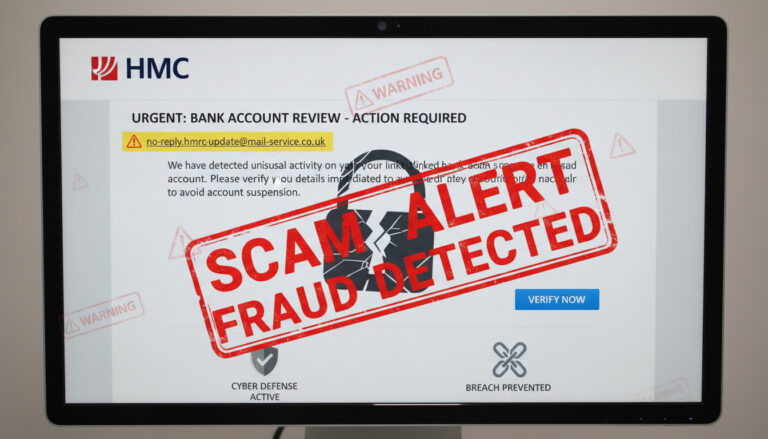 HMRC Bank Account Warning – Spot Scams and Stay Safe
 Aled Jones: Age, Wife, Net Worth, and Career Biography
 CSK vs MI Timeline: IPL History, Head-to-Head & Key Matches
 Clothes Shops Near Me: Irish Stores Like Dunnes & Primark
 Andrew Scott: Relationship, Friendships, and Career
 Brigitte Macron as a child: early life, family and rare photos
 Super Off Peak Times: UK Train Schedules Guide
